
Shape Grid Switching: 3 Powerful Layout Challenges
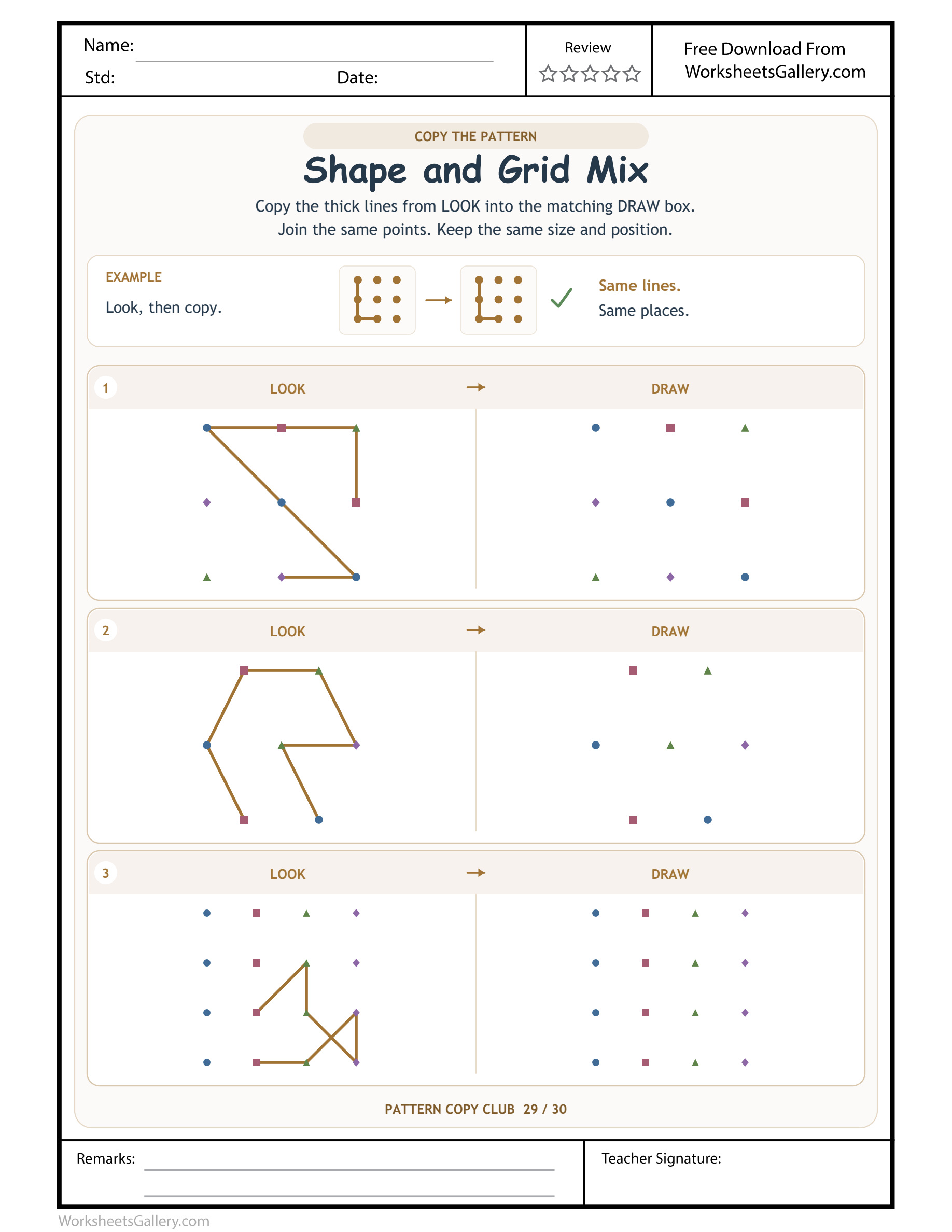
Shape Grid Switching: Reset spatial expectations when the page switches between nine, seven and sixteen points.
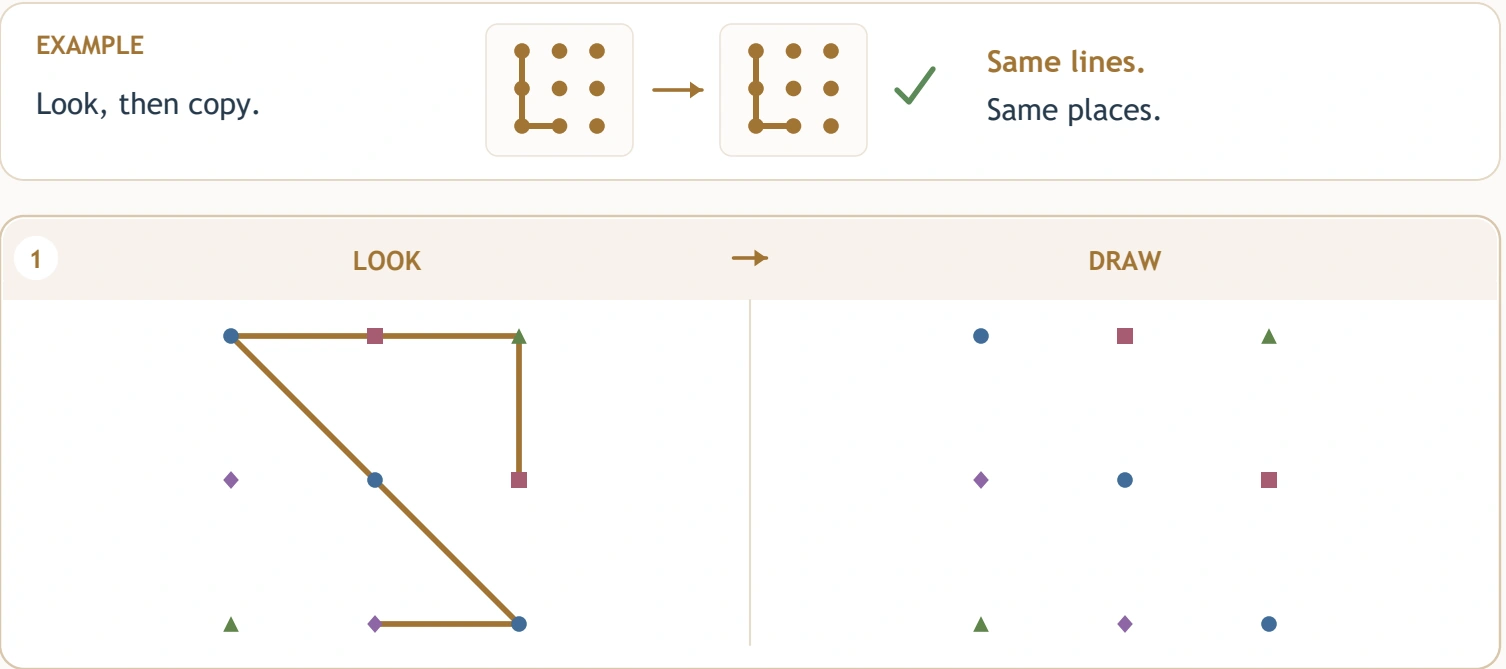
Switching layouts asks for a fresh look, even when the drawing rule stays familiar. Shape Grid Switching contains three six-segment models on different point fields: nine markers in a square arrangement, seven in a hexagonal family and sixteen in a larger square grid. The Shape and Grid Mix source also varies marker symbols. Children transfer each printed model to its matching neighbouring field, with a completed example introducing the method. Choose this page for a learner ready to pause between panels and inspect the new arrangement before carrying an earlier drawing habit forward.
The rule stays, but the point family changes — Shape Grid Switching
LOOK supplies a model and DRAW offers its matching answer field. That relationship stays consistent throughout Shape Grid Switching. The location and number of anchors do not. A useful first step at every new panel is to inspect the field again rather than assuming the previous row spacing or neighbouring positions still apply.
Restart the positional comparison when the layout changes. The same number of bold segments does not make the three constructions equivalent. Each model chooses its own connections within its own arrangement, and each answer must preserve that particular relationship.

Read the three layouts side by side: Shape Grid Switching
| Shape Grid Switching pair | Visible Shape and Grid Mix model | Model structure |
|---|---|---|
| 1 | Nine mixed symbols supporting a broad zigzag | 9 anchors / 6 bold pieces in Shape and Grid Mix |
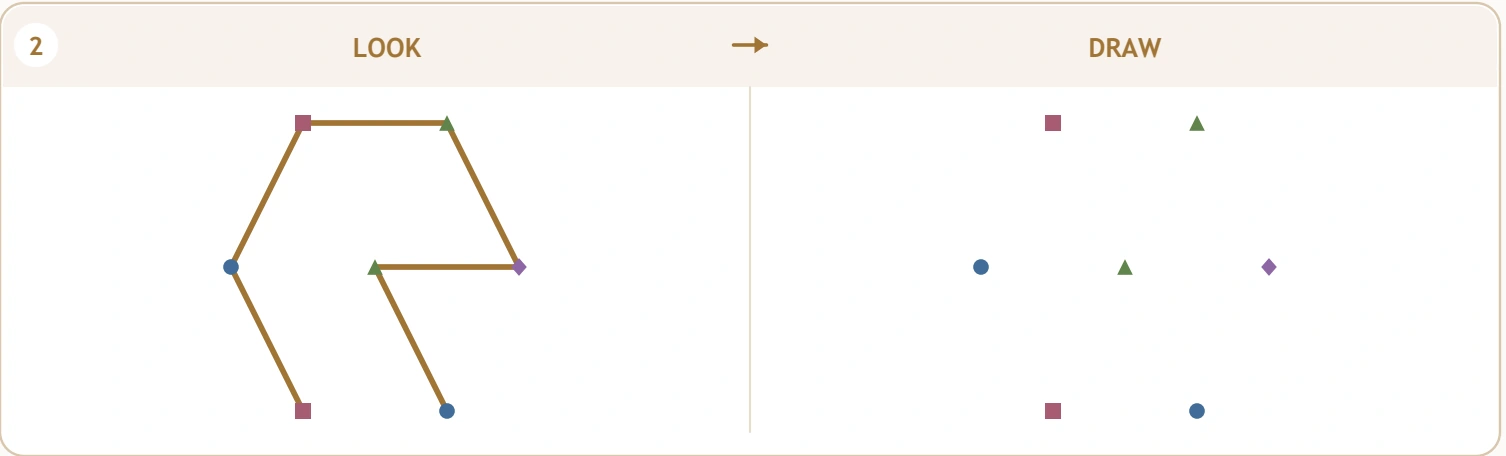
| 2 | Seven mixed symbols around a hexagonal layout | 7 anchors / 6 bold pieces in Shape and Grid Mix |
| 3 | Sixteen mixed symbols with a compact angular motif | 16 anchors / 6 bold pieces in Shape and Grid Mix |
The Shape Grid Switching models each contain six bold segments, but the fields hold nine, seven and sixteen anchors respectively. Those source counts are descriptive, not a scoring system or required spoken exercise. A learner may copy one portion, pause and inspect another without maintaining a continuous pencil route.
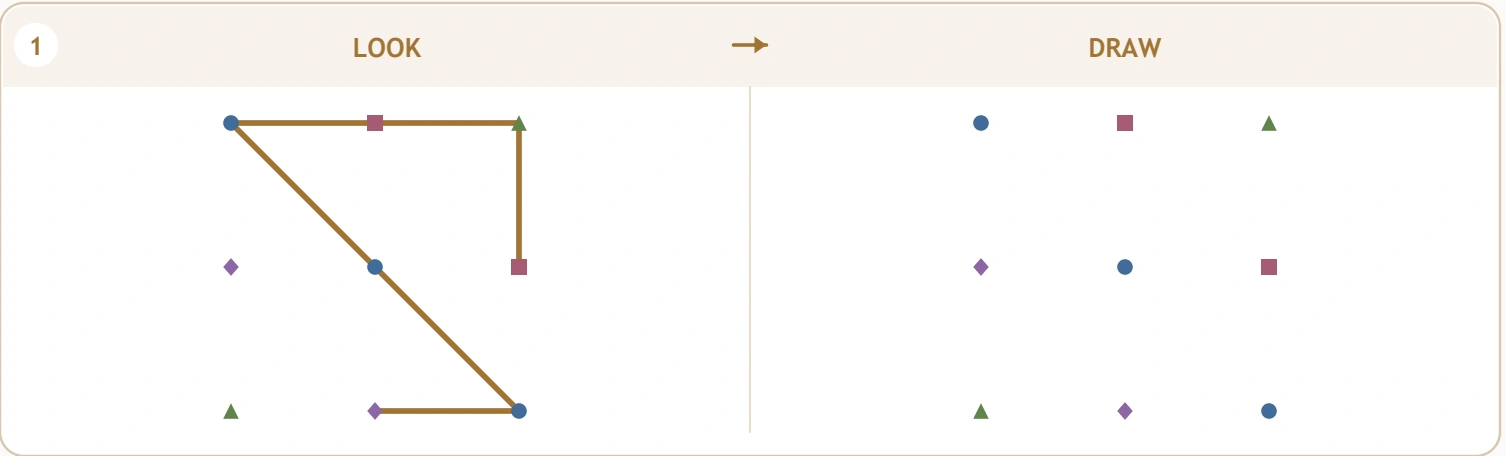
Compare position before interpreting the marker symbol: Shape Grid Switching
Different circles, squares, triangles or diamonds appear as anchors in Shape Grid Switching. Their shapes identify visible point markers; they are not a printed instruction code for line order. Ask which location a selected edge uses, then find that corresponding place in DRAW.
A child may enjoy naming the symbols, but copying their outlines is not the drawing goal. The bold model connects chosen anchors. Keep the attention on those endpoints and the intervening line. A larger spare-paper demonstration can separate marker identity from the line being copied if those two kinds of mark become confusing.
Cali's imagined sorting-and-building table: Shape Grid Switching
Imagine Cali arranging counters at home. An adult lays out nine in a square field, then seven around a centre, and brings Shape Grid Switching nearby. Cali initially looks for a square-grid neighbour in the hexagonal panel. They pause to inspect the new arrangement before choosing a connection.
This invented home example illustrates a useful reset rather than a documented outcome. Cali can explore the broad physical layouts first, then select a short model section on paper. The child does not need to memorise all three fields or finish every panel for the comparison to have a clear purpose.
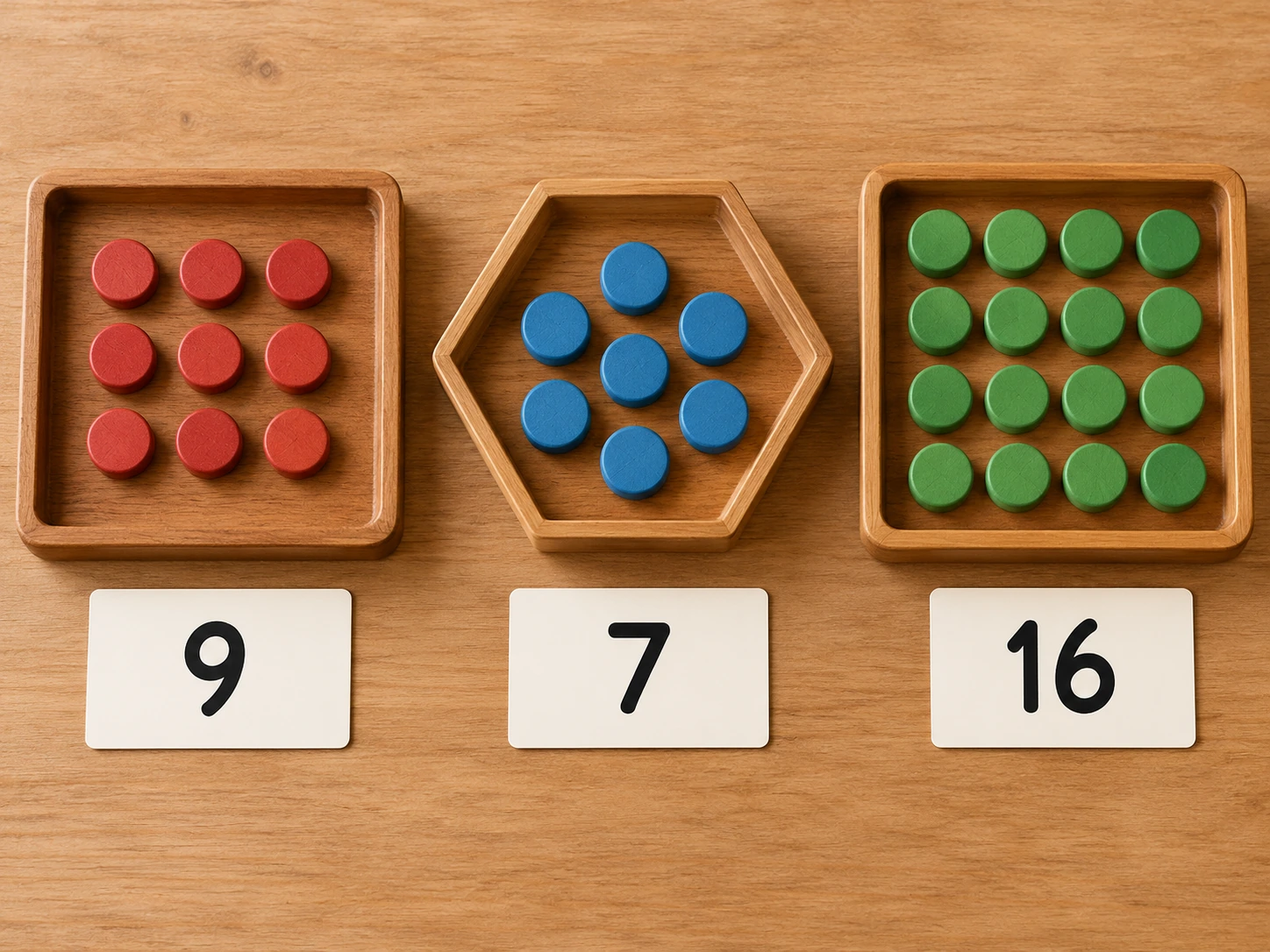
Six opportunities inside a change of layout: Shape Grid Switching
- Flexible attention. The learner notices that a new panel requires a new positional inspection.
- Anchor discrimination. Marker shapes and marker locations are considered without confusing them with target line outlines.
- Spatial transfer. A selected connection is recreated in the matching field beside its own model.
- Planning pauses. Stopping between panels becomes a useful part of the task rather than an interruption.
- Controlled movement. Short slants and corners invite deliberate aiming and endpoint checks.
- Comparative language. Different layout, central marker and wider field help describe why a previous shortcut may no longer fit.
These possibilities in Shape Grid Switching are suitable for observation, not promises of developmental change. A child may correctly recognise a new layout while needing a large surface for steady drawing. Acknowledge that conceptual decision separately from the small-scale motor demand.
The seven-point panel deserves its own orientation: Shape Grid Switching
The middle Shape Grid Switching field belongs to a hexagonal point family with a centre. It does not have the same row structure as the first nine-point square arrangement. Identify a distinctive outer point or the central marker, then inspect which bold edge uses it.
Copy a manageable section and return to LOOK before extending the design. The child can lift the pencil as needed; the source sets no compulsory start dot or stroke order. If a learner attempts to force the earlier zigzag into this new field, compare one actual endpoint rather than asking for a general change of drawing style.
A classroom reset between stations: Shape Grid Switching
For a possible classroom use of Shape Grid Switching, a teacher displays broad square and hexagonal counter arrangements. Pupils describe one difference before seeing the printed page. The adult demonstrates pausing at the next panel and identifying its matching field before drawing anything new.
In this hypothetical lesson, each learner chooses one short connection to inspect. Observe whether they make a fresh layout check after switching panels. Some children may work with the large counters while others attempt the print. Their comparison decisions provide useful teaching information without requiring uniform completion of all three models.
Is the layout switch comfortable for this learner?
Children broadly four to seven, from later preschool into early primary learning, may explore Shape Grid Switching with adult support. Its mixed layouts add a thinking demand beyond repeating one familiar grid. Start by asking whether the child can find the model's matching answer field and identify one corresponding anchor.
If changing arrangements is confusing, spend time on one broad field using movable pieces. Return to print when the learner can inspect that relationship comfortably. The page can be divided across several short visits. Interest, willingness to compare and hand comfort should guide the amount attempted rather than the number of empty fields remaining.
Five games for changing the field without losing the goal: Shape Grid Switching
Run a layout greeting desk: Shape Grid Switching
Set out two broad point families and ask a child to introduce each one to a toy visitor. They can point out a centre, a corner or a change in row length. This makes fresh inspection a meaningful action before any line copying begins.
Match a model to its empty partner: Shape Grid Switching
Build a short strip design on one counter field and place several large empty arrangements nearby. Ask which arrangement could serve as its matching copy space. Keep the design visible and discuss the choice. Relate that pairing to Shape Grid Switching's LOOK and DRAW relationship.
Change the marker costume: Shape Grid Switching
Replace a few large circular counters with square pieces while keeping their positions unchanged. Ask what changed and what stayed in the same place. This helps distinguish marker appearance from spatial location without treating symbols as a hidden instruction code.
Announce a thoughtful pause: Shape Grid Switching
A pretend surveyor arrives at a new field and must name one feature before building. The child supplies the observation, then copies a short visible model with strips. The roleplay gives a deliberate reset a practical purpose rather than making it feel like delay.
Design a new field challenge: Shape Grid Switching
Let a learner arrange their own broad anchor family and select a few connections. A partner recreates the model while looking. Explain that this is an invented design; Shape Grid Switching preserves the supplied arrangements. Both activities can value careful description while allowing different kinds of choice.
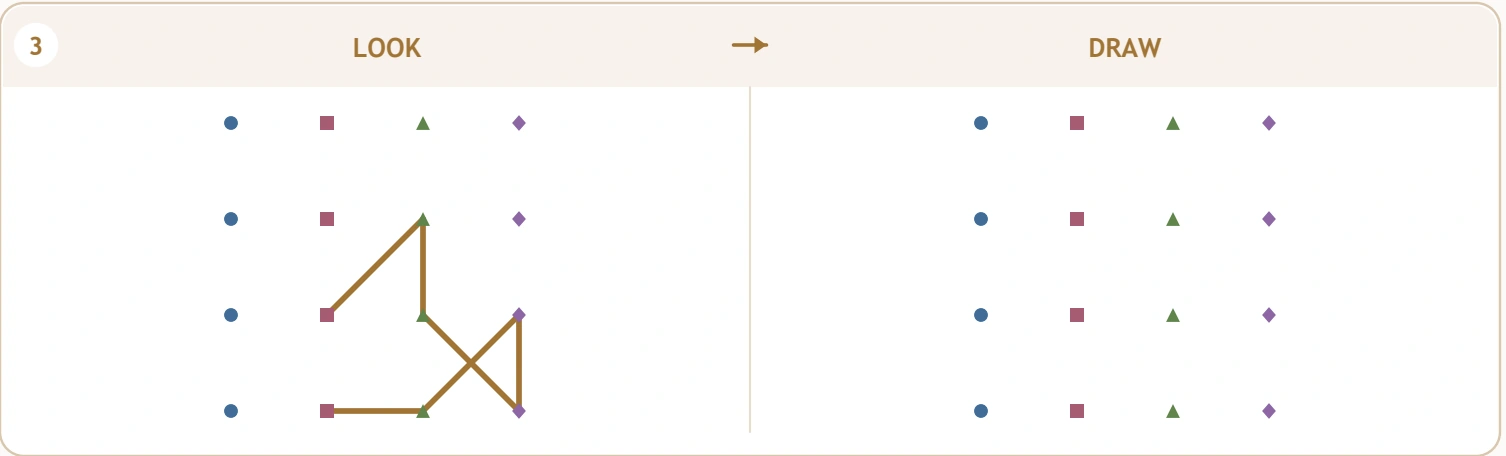
The larger square field still needs a fresh check: Shape Grid Switching
The final Shape Grid Switching panel returns to a square arrangement, now with sixteen anchors rather than nine. Do not assume that recognising a square layout settles the endpoints. Identify the chosen short angular model within the larger field and locate its particular corners.
This is a useful place to ask what stayed familiar and what changed. The learner can recognise rows while noticing that more candidate positions are available. Keep that observation concrete and tied to the next selected edge, without turning the page into a formal test of point counts or coordinate vocabulary.
Repair the assumption, then inspect the line: Shape Grid Switching
Likely Shape Grid Switching errors include carrying a previous layout into the next panel, tracing marker outlines, choosing a nearby same-shaped symbol or copying the first model again. Ask which reference and answer field belong together. Then compare one disputed connection's endpoints.
A new panel deserves new evidence. If the answer field becomes crowded with attempted corrections, discuss the intended relationship using counters instead. A child can finish by explaining the reset they would make. Avoid repeated dark tracing when it hides the very anchor distinction that needs attention.
Keep the next change inviting: Shape Grid Switching
The varied arrangements may make Shape Grid Switching interesting because each panel offers something new to notice. Let the learner choose which field to inspect first, provided its own matching reference remains clear. Feedback such as “You checked the new arrangement before choosing that point” names an observable decision.
Offer brief returns among construction, sorting and free drawing. Regular opportunities can focus on one panel or one layout comparison. Stop while the child can comfortably describe a difference, then let the next visit begin from that observation. Completing the entire sheet repeatedly is not necessary for a useful routine.
Download and preserve the printed field dimensions: Shape Grid Switching
The free Shape and Grid Mix file retains the supplied original. The separate clean Shape Grid Switching PDF is requested through the premium control by an account with an eligible membership that remains active. Website watermark, domain references and promotional ads are removed; all models, markers, guides and student fields are preserved.
The native related-package card opens the complete thirty-sheet clean PDF, priced separately at $3. Save the edition your account allows. In the printer dialog, select US Letter and use Actual Size or retain 100% scaling. Inspect the full page border so Shape Grid Switching's different field spacings remain as supplied in the source.
More ways to compare changing structures: Shape Grid Switching
Compare Shape Grid Switching with Drawing Size Choices. After Shape and Grid Mix, try Shape Border Journeys. For Shape and Grid Mix, consider Path Copy Thinking.
Adults accompanying Shape Grid Switching may explore PBS Parents' everyday learning suggestions and NAEYC's articles on play for families. These independent educational destinations are optional reading, not endorsements or extra worksheet files included with this download.
Popular Worksheets
Printable resources families and teachers are downloading now.
 Free
 Free
 Free
 Free